Job Application Autofill AI Chrome Extension
Most autofill tools copy your name and email into a form. The refer.me Chrome extension also reads the questions on the page and answers them from your resume and the answers you saved. It attaches your resume and a cover letter written for that job. You check every answer and press Submit yourself.
Free to install · Coming soon to the Chrome Web Store
Create your refer.me account →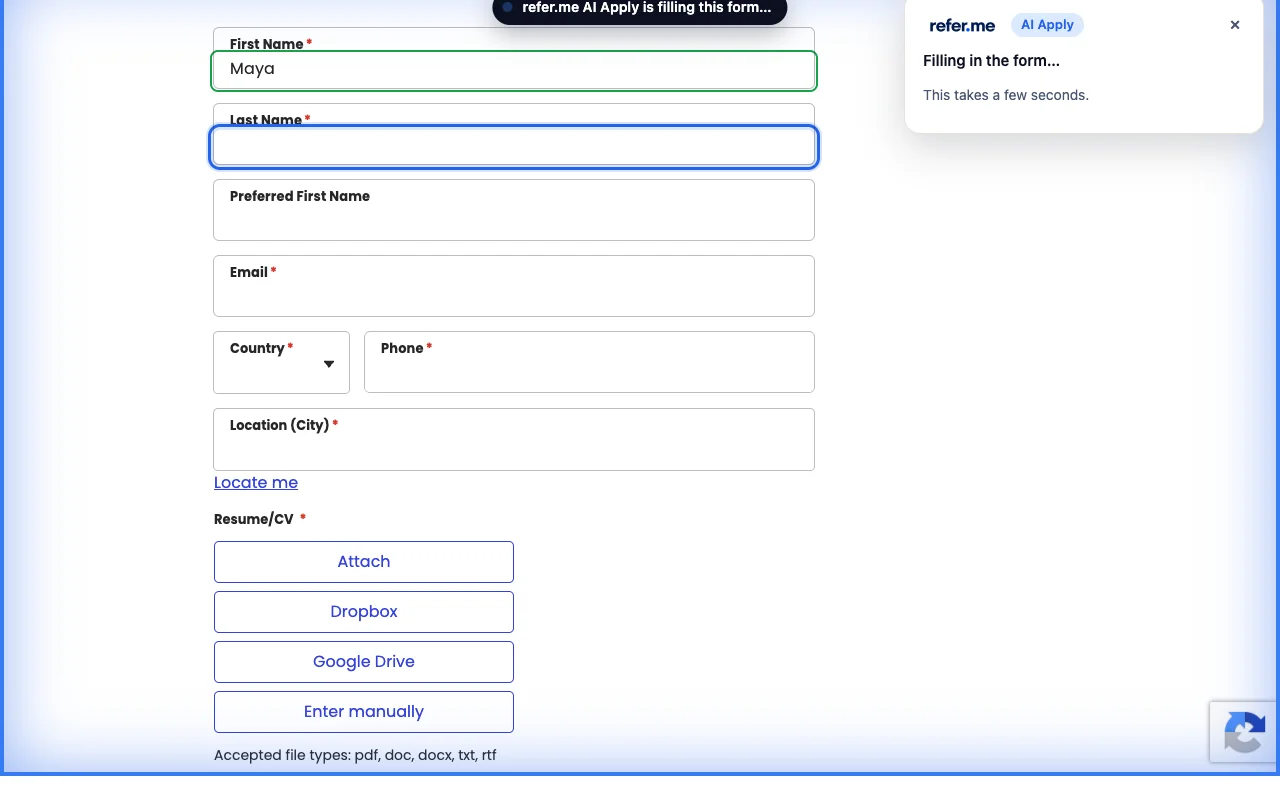
Autofill or AI autofill?
What a contact-details autofill fills
Your name, email and phone number.
Your address.
Other fields that match details saved in your browser.
What the refer.me AI extension adds
Open questions, such as "Why do you want to work here?", answered from your resume in your own voice.
Dropdown and yes/no questions, from the answers you saved on refer.me, such as work authorization.
Your resume, attached for you.
A cover letter written for that job, when the form asks for one.
How it works
Step 1
Open a job application. On Greenhouse, Ashby and Lever, refer.me offers to help as soon as the form appears. On other sites, click the refer.me button in your Chrome toolbar.
Step 2
Press "Fill it for me". The form is filled in your own browser, and each field lights up as it is filled.
Step 3
Read every answer. The refer.me panel lists what it left for you, and takes you to each one.
Step 4
Press the employer's Submit button yourself. The job moves to "Applied" on your refer.me job board when the employer confirms it.
What it fills
Your name, email, phone, city, LinkedIn and other details from your refer.me profile.
Questions you have answered on refer.me before, such as work authorization and sponsorship.
Open questions, answered from your resume in your own voice. Nothing that is not on your resume is made up.
Your resume, attached for you.
A cover letter written for that job, when the form asks for one.
What it leaves for you
The Submit button. You read every answer and send the application yourself.
Consents and "I certify" boxes. You agree to those yourself.
Equal-opportunity questions you have no saved answer for. It picks the form's own "I don't wish to answer", or leaves them for you.
Anything it could not answer, listed in the refer.me panel so you can go straight to it.
What it costs
The extension is free to install, and your first application with it is free. After that, each new job you fill uses one AI Apply credit, the same credits AI Apply uses: 1 a month on the free plan and 5 a month with Membership. Filling the same job again is free.